QA Session Recordings
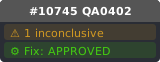
PR #10745 aims to
fix: prevent saving active workflow content to inactive tab on close## Summary - Closing an inactive workflow tab and clicking "Save" overwrites that workflow with the **active** tab's content, causing permanent data loss - `saveWorkflow()` and `saveWorkflowAs()` call `checkState()` which serializes `app.rootGraph` (the active canvas) into the inactive workflow's `changeTracker.activeState` - Guard `checkState()` to only run when the workflow being saved is the a
Test focus: Verify that the `checkState()` guard prevents the active graph from overwriting the inactive tab during a save.
Prerequisites: Open the default workflow (Tab A)., Create a new blank workflow (Tab B) and add a single Note node to it., Click on Tab A to make it active, leaving Tab B inactive but modified.
Steps: Click the close (X) button on the inactive Tab B. → Click Save in the unsaved changes dialog. → Enter a name for the workflow and press Enter. → Reopen the newly saved 'FixedWorkflow' from the workflows list. → Observe the contents of the reopened workflow.
Prerequisites: Open the default workflow (Tab A)., Create a new blank workflow (Tab B) and add a single Note node to it., Click on Tab A to make it active, leaving Tab B inactive but modified.
Steps: Click the close (X) button on the inactive Tab B. → Click Save in the unsaved changes dialog. → Enter a name for the workflow and press Enter. → Reopen the newly saved 'FixedWorkflow' from the workflows list. → Observe the contents of the reopened workflow.
🐧LinuxReport
AI Comparative Review
# linux QA Video Report
- Generated at: 2026-04-12T13:20:41.988Z
- Model: `gemini-3-flash-preview`
- Target: https://github.com/Comfy-Org/ComfyUI_frontend/pull/10745
- Before video: `./qa-artifacts/qa-report-Linux-24307547455/qa-before-session.mp4` (2.8 MB)
- After video: `./qa-artifacts/qa-report-Linux-24307547455/qa-session.mp4` (3.7 MB)
- Mode: **Comparative (before/after)**
## AI Review
## Summary
The PR aims to prevent data corruption that occurs when closing an inactive workflow tab and choosing to "Save". Previously, the application would erroneously serialize the active canvas content into the inactive workflow's state during the save process. The fix introduces a guard to ensure `checkState()` (which performs the serialization) only runs if the workflow being saved is the active one.
However, the provided videos **do not demonstrate the multi-tab scenario** required to reproduce the bug or verify the fix. Both videos show interaction with only a single workflow tab. No switching between workflows or closing of inactive tabs is observed. Video 2 shows some additional setup steps (adding a node and opening the sidebar), but the core logic change is not exercised in the footage.
## Behavior Changes
| Behavior | Before (main) | After (PR) | Verdict |
| :--- | :--- | :--- | :--- |
| **Workflow Tab Management** | Single "Unsaved Workflow" tab; no tabs are switched or closed. | Single "Unsaved Workflow" tab; no tabs are switched or closed. | **No Change** (Not tested) |
| **Node Creation** | Canvas remains empty; user navigates the File menu. | User adds a "Note" node to the canvas at 0:12. | **Changed** |
| **Workflows Sidebar** | Sidebar remains closed. | User opens the Workflows sidebar and uses the search function at 0:15. | **Changed** |
| **Save Logic (Inactive Tab)** | Not demonstrated. | Not demonstrated. | **Inconclusive** |
## Timeline Comparison
| Time | Type | Severity | Before (main) | After (PR) |
| :--- | :--- | :--- | :--- | :--- |
| 0:05-0:08 | UI | None | Navigates the Template Gallery. | Navigates the Template Gallery. |
| 0:12-0:14 | Behavior | None | User opens the "File" menu in the top bar. | User adds a "Note" node to the graph. |
| 0:15-0:19 | UI | None | Video ends after menu interaction. | User opens the Workflows sidebar and searches for a workflow. |
## Confirmed Issues
None. The videos do not reach the state required to trigger the bug or verify the fix.
---
## Possible Issues (Needs Human Verification)
- **Verification Gap**: The manual test plan described in the PR (opening two tabs, editing the background one, and closing it while active on the first) was not performed in either video. While the code changes appear correct based on the diff, the videos provide no evidence of the fix working in practice.
## Overall Risk
The risk is **low**. The code change is a simple conditional guard (`if (workflowStore.isActive(workflow))`) that correctly targets the reported root cause (serialization of the global `app.rootGraph` into an inactive workflow object). Despite the lack of visual confirmation in these specific videos, the logic is sound and highly unlikely to cause side effects for active workflows.
## Verdict
{"verdict": "INCONCLUSIVE", "risk": "low", "confidence": "high"}