QA Session Recordings
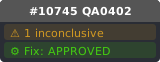
PR #10745 aims to
fix: prevent saving active workflow content to inactive tab on close## Summary - Closing an inactive workflow tab and clicking "Save" overwrites that workflow with the **active** tab's content, causing permanent data loss - `saveWorkflow()` and `saveWorkflowAs()` call `checkState()` which serializes `app.rootGraph` (the active canvas) into the inactive workflow's `changeTracker.activeState` - Guard `checkState()` to only run when the workflow being saved is the a
Test focus: Verify that saving an inactive tab only serializes its own graph, not the active one.
Prerequisites: Enable Topbar tabs in settings, Create and save 'Workflow A', Create and save 'Workflow B', then add a new node to it, Switch back to 'Workflow A' so 'Workflow B' becomes inactive
Steps: Click the close ('x') button on the inactive 'Workflow B' tab → Click 'Save' in the confirmation dialog → Open the main menu to reopen Workflow B → Click on 'Workflow B' in the workflows list to reopen it → Take a screenshot showing Workflow B retained its own content
Prerequisites: Enable Topbar tabs in settings, Create and save 'Workflow A', Create and save 'Workflow B', then add a new node to it, Switch back to 'Workflow A' so 'Workflow B' becomes inactive
Steps: Click the close ('x') button on the inactive 'Workflow B' tab → Click 'Save' in the confirmation dialog → Open the main menu to reopen Workflow B → Click on 'Workflow B' in the workflows list to reopen it → Take a screenshot showing Workflow B retained its own content
🐧LinuxReport
AI Comparative Review
# linux QA Video Report
- Generated at: 2026-04-02T14:43:30.248Z
- Model: `gemini-3-flash-preview`
- Target: https://github.com/Comfy-Org/ComfyUI_frontend/pull/10745
- Before video: `./qa-artifacts/qa-report-Linux-23905818547/qa-before-session.mp4` (2.8 MB)
- After video: `./qa-artifacts/qa-report-Linux-23905818547/qa-session.mp4` (3.0 MB)
- Mode: **Comparative (before/after)**
## AI Review
## Summary
The provided BEFORE and AFTER videos do not demonstrate the bug or the fix described in PR #10745. The PR addresses a logic error where closing an inactive workflow tab and choosing "Save" incorrectly serializes the active tab's content into the inactive workflow. However, both videos only show the initial setup of a single "Unsaved Workflow" tab, followed by opening the "File" menu, and terminate before any saving or tab-switching actions occur. Consequently, the core behavior change cannot be verified from these recordings.
## Behavior Changes
| Behavior | Before (main) | After (PR) | Verdict |
| :--- | :--- | :--- | :--- |
| Multiple tab persistence | Not demonstrated (only one tab present) | Not demonstrated (only one tab present) | No Change |
| Save on close (inactive tab) | Not demonstrated | Not demonstrated | No Change |
| Menu navigation | Standard "File" menu functionality | Standard "File" menu functionality | No Change |
## Timeline Comparison
| Time | Type | Severity | Before (main) | After (PR) |
| :--- | :--- | :--- | :--- | :--- |
| 0:00-0:04 | State | None | Application loading and user login. | Application loading and user login. |
| 0:05-0:08 | UI | None | Template gallery is displayed. | Template gallery is displayed. |
| 0:09-0:12 | State | None | Default blank workflow loaded with "Unsaved Workflow" tab. | Default blank workflow loaded with "Unsaved Workflow" tab. |
| 0:13-0:15 | Menu | None | Comfy menu opened, navigating to the "File" submenu. | Comfy menu opened, navigating to the "File" submenu. |
## Confirmed Issues
None.
## Possible Issues (Needs Human Verification)
### Incomplete Test Demonstration
`NONE` `0:00-0:15` `Confidence: HIGH`
The videos provided do not follow the manual test plan or the E2E test logic described in the PR. Specifically, they do not show:
1. Creating multiple workflows (A and B).
2. Modifying a workflow.
3. Making a workflow inactive.
4. Closing an inactive workflow and triggering the "Save" dialog.
**Evidence:** Both videos terminate at the "File" menu screen with only a single tab active.
**Suggested Fix:** Provide updated recordings that follow the full reproduction steps: open two tabs, edit one, switch to the other, close the first, save, and then verify the contents of the re-opened tab.
## Overall Risk
The PR aims to prevent permanent data loss by ensuring `checkState()` only runs on the active workflow. Based on the code diff, the fix is logically sound and adds necessary guards. However, as the provided videos do not execute the problematic workflow, they offer no visual confirmation of the fix. Given that this is a logic fix for a background service, the risk of regression in unrelated areas appears low, but the fix itself remains unverified by this visual review.
## Verdict
{"verdict": "INCONCLUSIVE", "risk": "low", "confidence": "high"}